
Email Verification

Rupali
Last Update vor 25 Tagen
To ensure that your FBA notifications emails are delivered successfully and are not flagged as spam or spoofed, you need to verify your email address. Follow these steps to complete the verification:
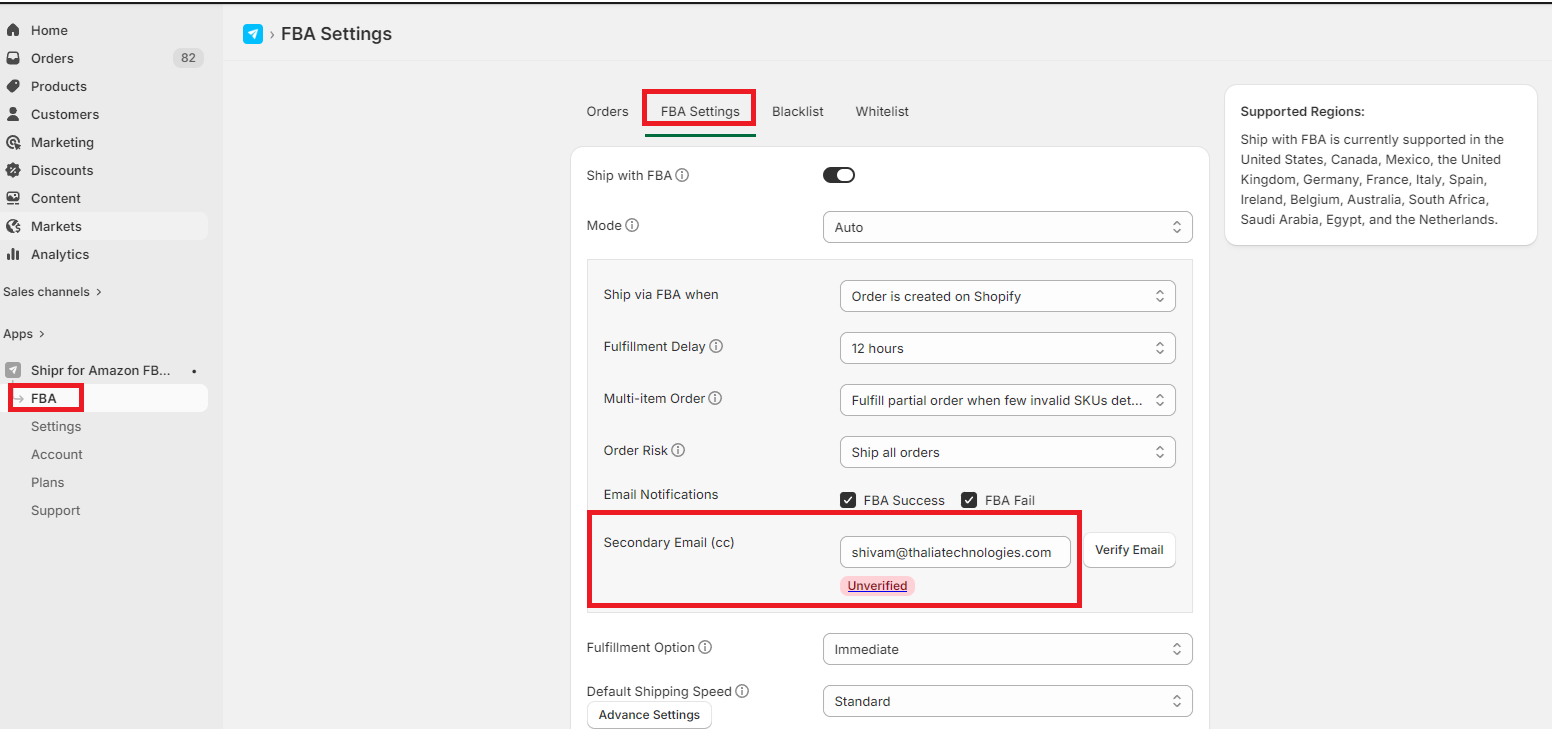
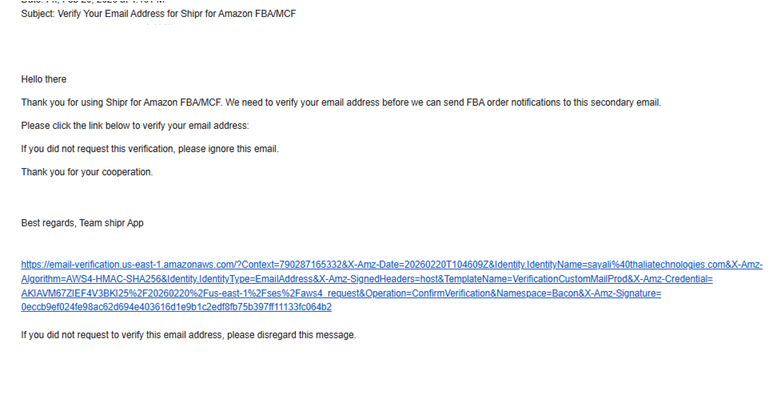
An email (from no-reply@e.shipr.thalia-apps.com) will be sent to the address you provided. Open this email and click on the verification link. The email that you will receive will look like this.
Note:
- If you don’t see the verification email in your inbox, check your spam or junk folder.
- To update your email address, follow the same steps with the new address.