
Map Amazon shipping speed with Shopify shipping rates

Rupali
Last Update 25 giorni fa
You can use the advanced settings to configure FBA shipping speed based on the shipping rates selected by the shopper while placing the order on Shopify.
Amazon FBA provides 3 shipping speeds: Standard, Expedited, and Priority. By default, the Shipr app will ship with FBA using the shipping speed configured as the 'Default Shipping Speed' in Shipr FBA settings.
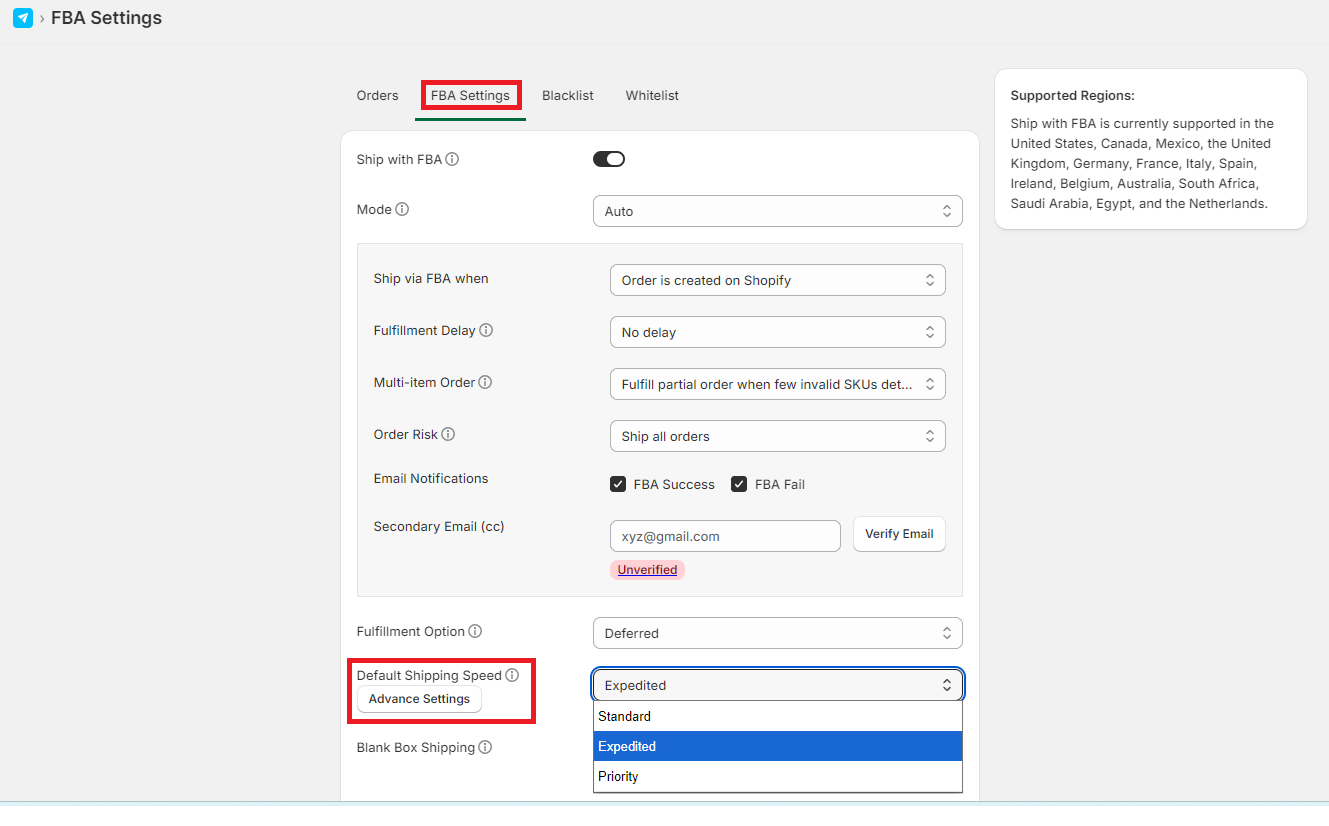
If you want to override this behavior and provide options to the shoppers to select a shipping speed then follow the steps below:
2. Say, you create 3 shipping rates named 'Budget Delivery', 'Optimized Speed', and 'Fast Shipping'.
| If Customer Selects | Then FBA Shipping Speed |
| Budget Delivery | Standard |
| Fast Shipping | Priority |
| Fast Shipping | Priority |
3. Click on Advanced Settings link in FBA Settings page and setup the keywords for each FBA speed. The keywords should be part of the Shopify Shipping Rate name.
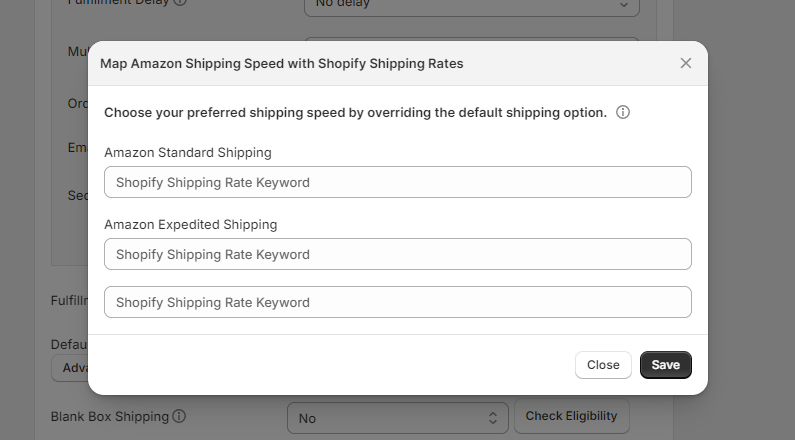
Now if the customer selects the shipping rate having the keyword 'Budget', while checking-out on Shopify, then the order will be shipped via Standard shipping speed on FBA. If the user selects Optimized Speed then it will ship with Expedited shipping and with Priority shipping if the user selects Fast Shipping.