
How to Uninstall App ?

Rupali
Last Update há 24 dias
To uninstall the app simply remove it from the Shopify dashboard.
The app subscription will terminate automatically.
- Go to your Shopify admin.
- Go to Apps'. Click on the Apps and sales channel settings
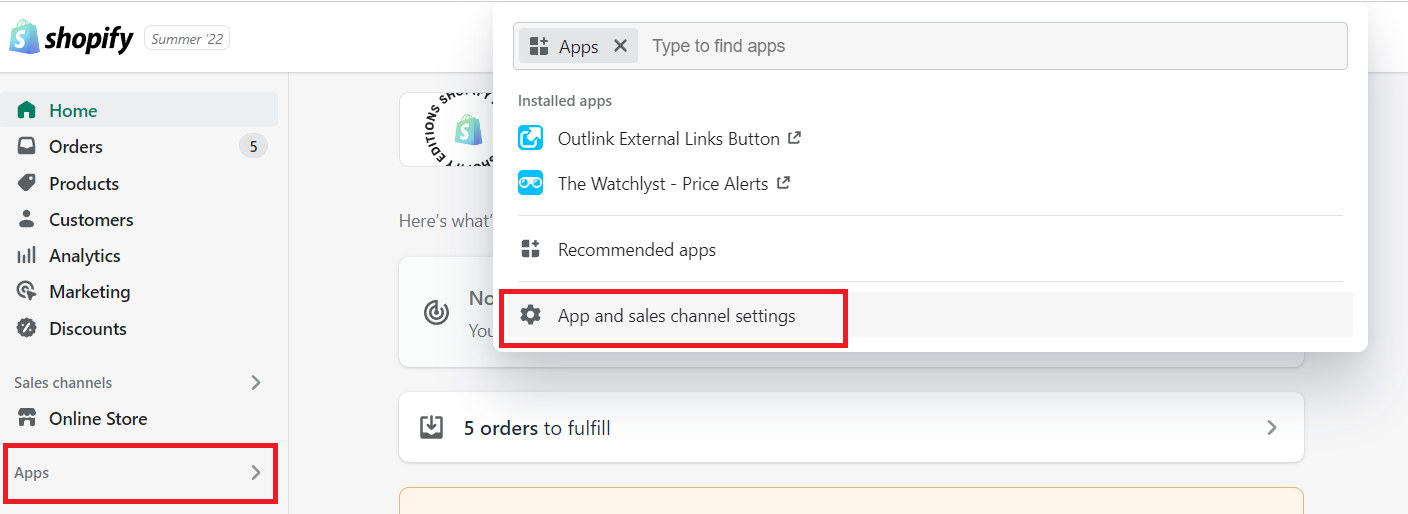
3. A pop-up window will appear displaying a list of all installed apps—locate the app you want to remove, click the three dots (···) next to it, and select Uninstall from the dropdown menu.

That's it! The app is now uninstalled.
For detailed instructions, check out the Shopify guide to uninstall the app.